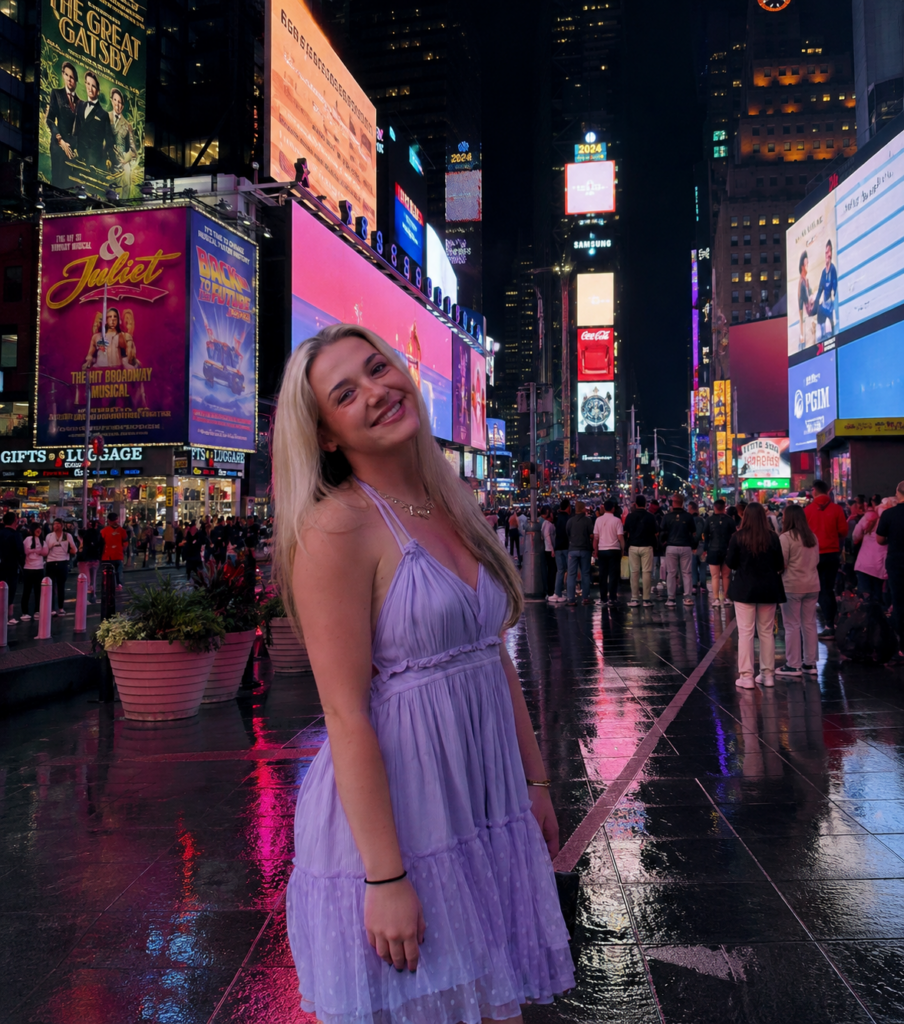
Background image from Safari, created using photoshop and canva.
For this design assignment, I decided to place myself into a photo of Times Square in New York City. I chose Times Square because it is one of the most recognizable locations in the world and is known for its bright lights, advertisements, and big atmosphere. My goal was to create an image that looked realistic while also making it seem like I was actually visiting one of New York City’s most famous landmarks.
To create this image, I used photo editing tools to combine a photo of myself with a background image of Times Square. One of the biggest challenges was making sure the lighting, size, and placement looked a little bit natural. I had to carefully position myself within the scene so that I blended into the environment instead of looking like I had simply been pasted onto the image, since the original image my legs were not pictured.
This assignment helped me better understand how photo manipulation can be used to tell a story and create a different reality. Small editing choices can completely change how viewers see an image. I also learned that successful photo editing requires attention to detail because even the small mistakes can make an image look unrealistic. Overall, this project helped me practice digital editing skills while creating a fun image that places me in a location I love and enjoy visiting.
Related Links
DS106 Design Assignment Bank: https://assignments.ds106.us/types/designassignments/
Created using Canva: https://www.canva.com/
Created using photoshop:https://www.adobe.com/products/photoshop/landpa.html?
Additional Media
https://www.timessquarenyc.org
For my additional media, I included the official Times Square website. The website provides information about the history, attractions, and events that make Times Square one of the most famous destinations in New York City. It helped provide additional context for the location featured in my edited image.