Tag: Design Assignment

  • Times Square Adventure

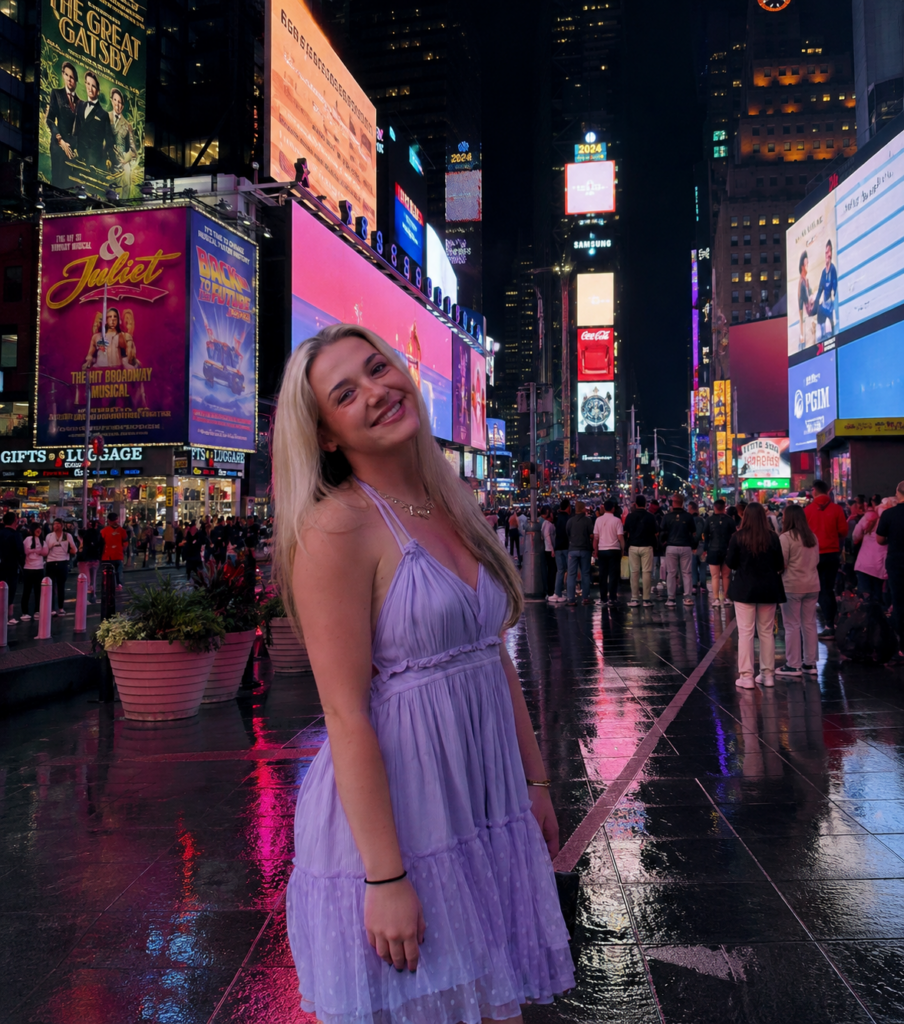
    Background image from Safari, created using photoshop and canva.

    For this design assignment, I decided to place myself into a photo of Times Square in New York City. I chose Times Square because it is one of the most recognizable locations in the world and is known for its bright lights, advertisements, and big atmosphere. My goal was to create an image that looked realistic while also making it seem like I was actually visiting one of New York City’s most famous landmarks.

    To create this image, I used photo editing tools to combine a photo of myself with a background image of Times Square. One of the biggest challenges was making sure the lighting, size, and placement looked a little bit natural. I had to carefully position myself within the scene so that I blended into the environment instead of looking like I had simply been pasted onto the image, since the original image my legs were not pictured.

    This assignment helped me better understand how photo manipulation can be used to tell a story and create a different reality. Small editing choices can completely change how viewers see an image. I also learned that successful photo editing requires attention to detail because even the small mistakes can make an image look unrealistic. Overall, this project helped me practice digital editing skills while creating a fun image that places me in a location I love and enjoy visiting.

    Related Links

    DS106 Design Assignment Bank: https://assignments.ds106.us/types/designassignments/

    Created using Canva: https://www.canva.com/

    Created using photoshop:https://www.adobe.com/products/photoshop/landpa.html?

    Additional Media

    https://www.timessquarenyc.org

    For my additional media, I included the official Times Square website. The website provides information about the history, attractions, and events that make Times Square one of the most famous destinations in New York City. It helped provide additional context for the location featured in my edited image.
  • Dessert Display Edit

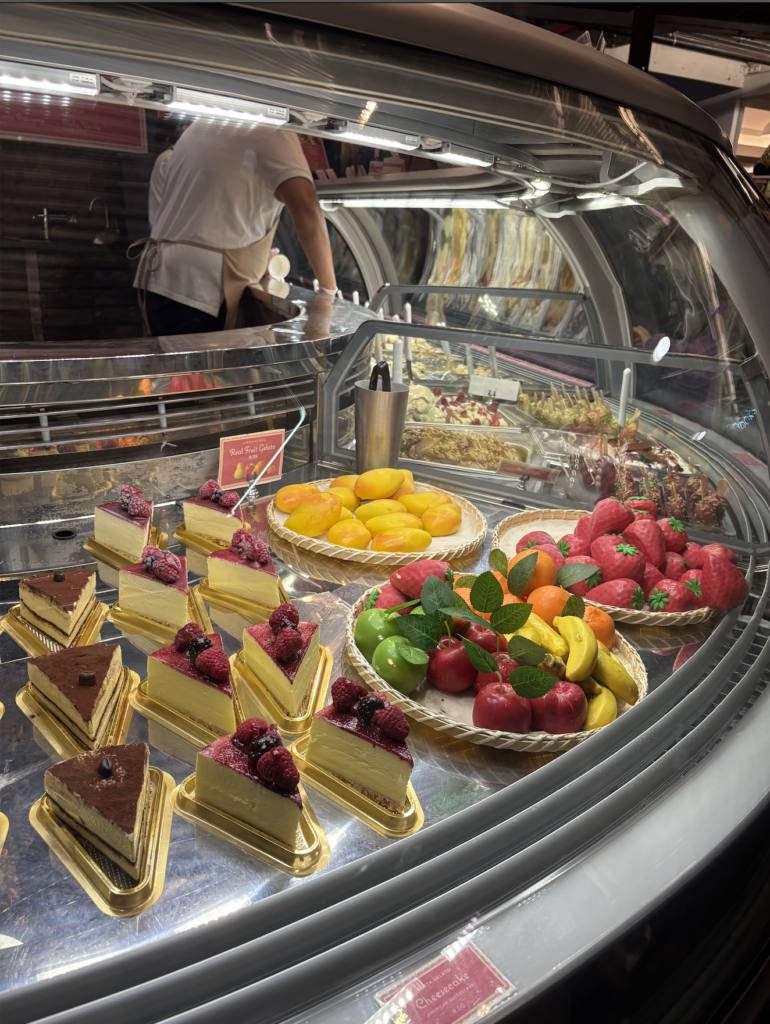
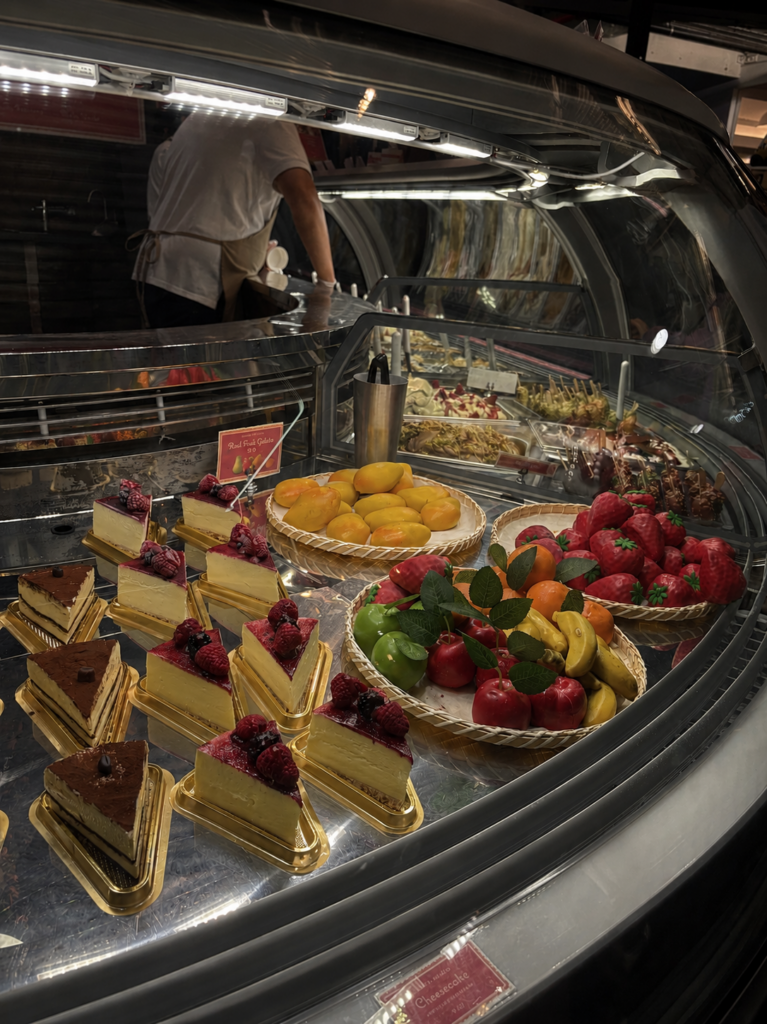
    After

    Before

    Original photograph taken and edited by me, edited using Camera app.

    For this design assignment, i chose to edit a photo of a desert display when I visited New York a wekk ago because I thought the colors and lighting would create an interesting visual effect. I wanted the image to feel somehwat vibrant and eye catching while still looking realistic. The different desserts, fruit decorations and reflections in the glass helped create a detailed image with a lot of contrast and my goal was to make the desserts stand out more while also creating a cleaner and more dramatic apperance.

    To create this edited image, I used photo editing tools to chang the brightness, contrast and sharpness. I focused on making the reds of the cherries and strawberries, yellows from the banana and mango and the greens from the stems stand out more because they helped grab attention and made the desserts look more appealing. One challenge was keeping the image looking somewhat realistic while still making the colors brighter. I also focused on balance so the dessert at the front of the image would be the main focus.

    This assignment helped me better understand how editing can completley change the mood and focus of a photograph. Small changes in color, lighting and contrast can make an image feel more dramatic. I also realized that editing should improve an image without making it look unrealistic. Overall, this project helped me practice visual design, color balance, and photo editing techniques while learning how design choices affect the way people view images.

    Related Links

    DS106 Design Assignment Bank:
    https://assignments.ds106.us/types/designassignments/

    Additional Media

    https://www.magnoliabakery.com/?srsltid=AfmBOopDZT9M8PyXZAhrjXJKRL3M5063VvOGfddTIeEEgHhb6pjL12iE

    For additional media, I included the Magnolia Bakery website. The website shows many of the desserts and baked goods that inspired the photo I edited for this assignment. Looking at the professional food photography on the site helped me understand how color, lighting, and presentation can make food appear more visually appealing.

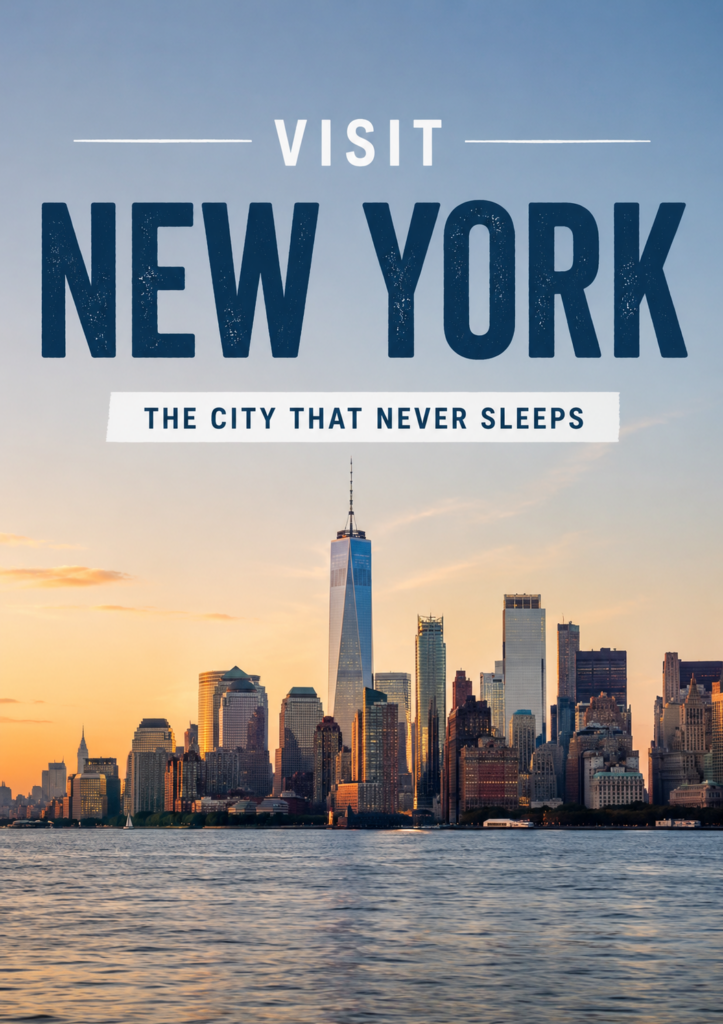
  • Visit New York

    New York skyline image taken from Safari. Edited and designed using Canva.

    For this design assignment, I created a travel style poster advertising New York City. I wanted the image to feel clean, modern and visually bold while still highlighting the skyline and atmosphere of the city. I chose the phrase “The City That Never Sleeps” because it is one of the most accurate descriptions of New York and helps communicate the energy of the city. My goal was to create a design that looked like a real travel advertisement while also using different layout options.

    To create this poster, I used Canva to combine a skyline image, that I got from safari, with large text and a simple color scheme. One of the main design choices I focused on was dominance. The large “NEW YORK” text immediately grabs attention and becomes the main point of the poster. I also tried to keep the design clean and organized by using only a few colors and limiting extra distractions. The spacing helped make the poster look more professional and easier to read.

    This assignment helped me better understand how text placement and visual design work together to communicate a message. Adding text to an image can definitely change the tone and purpose of a photography. I also realized that simpler designs usually work better than crowded ones because they make it easier for people to focus on the main idea. Overall, this project helped me practice using text, layout, and design balance to create a cleaner and more professional looking poster.

    Related Links

    DS106 Design Assignment Bank:
    https://assignments.ds106.us/types/designassignments/

    Created using Canva:
    https://www.canva.com/

    Additional Media

    https://www.youtube.com/playlist?list=PLO6_l08lsWOij24eAMtIAPNAzRQescreJ

    For additional media, I included a YouTube playlist featuring videos about New York City. The videos showcase many of the famous landmarks, attractions, and city views that make New York a popular travel destination. The playlist helped provide additional context for the city featured in my travel poster.